Financial Control
Integrated financial control for audiovisual production
Full visibility of budget, spend and profitability in real time.
Play Platform connects financial management directly to production operations. It centralizes budgets, real costs and margins per project in a single operational environment, eliminating external spreadsheets and disconnected processes between teams.
Real-time financial visibility
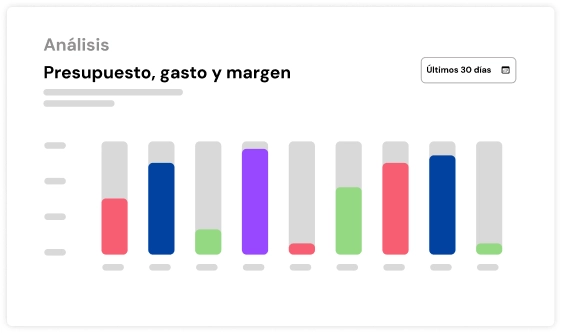
For each budget line: estimated, committed and incurred. Incurred cost and margin update as you assign expenses.
Smart cost tracking
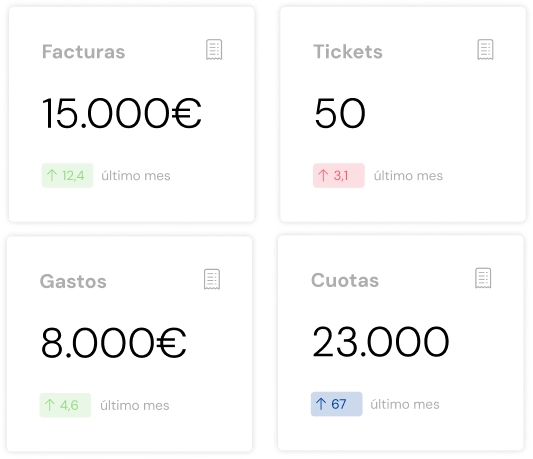
Digitize invoices, tickets and expenses with automatic data extraction and direct assignment.
The margin of every production
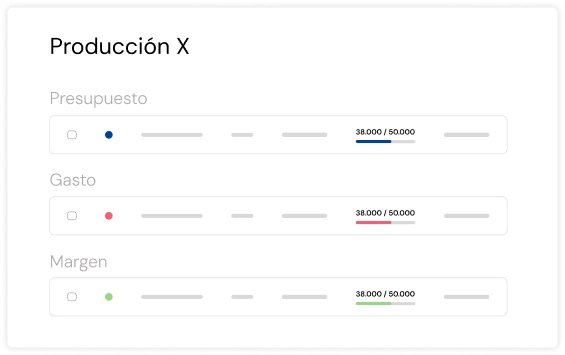
Gross margin at three points: estimated, committed and final. And a filter that shows the projects below their target.
A global view of your audiovisual production
Early detection of deviations
Find the projects with a margin below target and adjust before you close them.
Less operational friction
Eliminate manual processes and scattered information across teams and tools.
Control by production
View costs, margins and profitability individually or aggregated.
Faster decision-making
Adjust resources, suppliers and budgets without friction between departments.
How Financial Control works
From budget to invoice, in one place
In a production company, money gets lost between the budget you send, the expenses that arrive late and the invoice that goes out weeks later. PLAY /Platform brings the three steps together in every project: you budget, you track the real cost while you produce and you invoice what was accepted. You see the margin at every stage, not just at the close.
Budgets that are quick to build and speak for themselves
Build each budget in chapters and line items, with estimated cost, discounts, surcharges (social security, management fees) and margins. The footer shows the total cost and the estimated gross margin, and warns you if the margin falls below the target for that type of client.
- Versions: main, alternative or supplementary. Compare them side by side and check the history.
- Templates: save any budget as a template for the next one.
- Documents: detailed or summary PDF, and Excel. In Spanish, Catalan or English.
- Currency: choose the currency for each budget. Amounts are converted to your company's currency for reports.
KAMI, the AI assistant, also prepares budgets using your rates. You see a preview, and it's only saved as a draft once you confirm.
Your prices, in a rate card
On the Pro plan, keep your services in rate cards with sale price, direct cost and margin, plus variants and units. Start from the Branded Content or Advertising templates, import a CSV, or give KAMI an Excel file or some text and it organises it for you. Every budget draws on those prices, so nobody sells below cost without noticing.
The client accepts without creating an account
Email the budget with a link, or share the link directly. The client reviews it and accepts or rejects it from there, with an e-signature if you ask for one. You get a notification when they open it, and a reminder if they don't reply or if the budget is about to expire.
The real cost, line by line
On the Pro plan, every project has its own cost control, created from the accepted budget. For each line item you see the estimated, committed and incurred amounts and the difference. Gross margin shows at three stages: estimated, committed and final.
Incurred costs add up automatically as you assign expenses to each line item. In the project list, a filter shows the ones whose margin is below target, so you can act before they close.
Expenses without typing
Drag in receipts and supplier invoices, as PDFs or photos, one at a time or in bulk. KAMI reads each document, creates the expense with its details and flags anything missing, such as the IRPF (Spanish income-tax) withholding. You review it, approve it and assign it to its line item. If your expenses are in a spreadsheet, KAMI also imports them into the project's cost control.
External collaborators can upload their own expenses, and the team gets a daily summary of what's still to review.
Purchase orders to suppliers
Create purchase orders from the cost-control line items, with VAT, IRPF withholding and their own PDF. The supplier accepts or rejects it from a link and, if you like, joins the project on accepting it.
Invoicing connected to Holded
On the Pro plan, production companies and agencies turn an accepted budget into an invoice or split it across several. Track each invoice by its status (pending, sent, paid or overdue) and issue corrective invoices when needed.
If you use Holded, send the invoice to it: a draft is created in Holded, and every night the official number and payment status come back to PLAY /Platform.
The company's numbers
Analytics brings together the year's invoicing, what's still to be invoiced, payments received, overdue invoices by age and a year-end forecast. And you can ask KAMI which invoices are overdue, or ask it to export them.
Everyone sees what's theirs
Permissions control who can view, create, edit or delete budgets, invoices and expenses. Costs and margins are never shared with the client.
Start producing audiovisual content strategically.
Manage projects, talent and assets from a single place, scaling modularly and profitably.