Projects
Structure and coordinate your audiovisual productions
Plan and coordinate every production with full visibility


Four views
Grid, Table, Kanban or Timeline: see your projects the way your next decision needs.
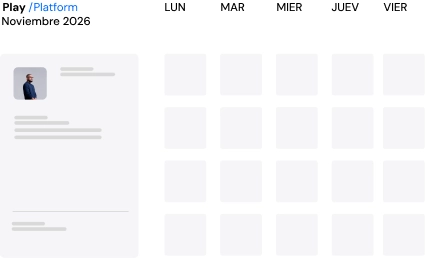
Unified calendar
Everything happening across your operation, teams and deliveries in one place.
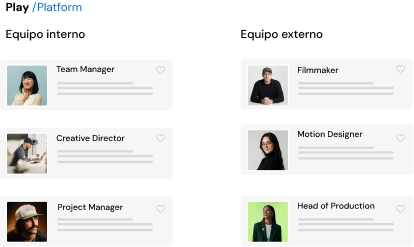
Flexible production
Scale internal and external teams without losing control.
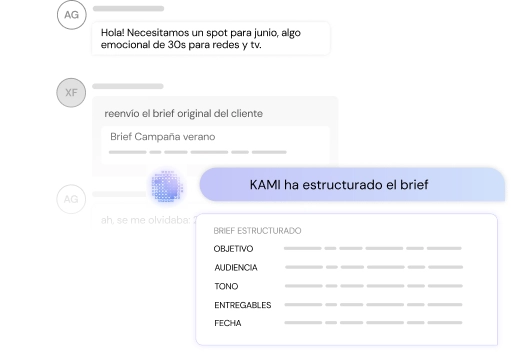
AI-structured briefing
Turn messy inputs into clear, aligned briefings.
Request channel
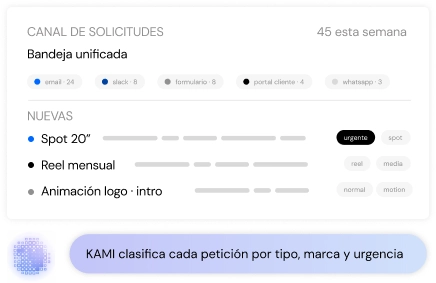
Centralize every content request in a structured flow.
A global view of your audiovisual production
Clear project structure
Each production's brief, quotes, tasks, deliveries and expenses in one place.
Team and resource coordination
Assign responsibilities and organize production across internal and external teams.
Real-time tracking
See the status of every project, its deliveries and its calendar at a glance.
Better decision-making
Access up-to-date information to optimize time and resources.
How Projects works
Every production, in one place
In PLAY /Platform, every video production is a project with everything it needs in one place: the brief, quotes, tasks, deliveries, calendar, content, expenses and invoices. Nobody has to dig through email for the latest brief or ask where a delivery stands.
Each project carries its account, content type, start and end dates, value, amount invoiced, costs and margin. You know whether a production is profitable at any moment, not just when it closes.
Four ways to see your projects
Switch views depending on what you need to decide:
- Grid: a quick look at every active project.
- Table: to filter, sort and compare value, status and dates.
- Kanban: to move projects from one status to the next.
- Timeline: by day, week or month. Each project expands to show its tasks, and warns you when one ends after the project's end date.
Save the views you use most, pin them and share them with your team.
From brief to project, in minutes
To create a project, describe it in your own words or drop in the client's documents. KAMI, the platform's AI assistant, fills in the fields for you. In the Brief tab, «Write with Kami» turns notes into a structured brief, and any line of the brief can become a delivery with its own date.
If you work with recurring formats, use templates. «Full Brand Hero Film», «Quick monthly reels» or «Production only», for example, set up the project's sections in one go. You can also save any project that works as a template.
Every request, through the same door
With the video request form, your clients or internal teams request content from a link. Each request arrives as a project in «Requested» status, with a brief drafted by KAMI. No more requests lost between emails, messages and calls.
You can restrict the form to your company's domains and choose who is notified of each request.
One calendar for the whole operation
The calendar brings together the dates of every project: shoots, deliveries, meetings and deadlines. Open it by year, quarter, month, week or day. It syncs both ways with Google Calendar, so what you change in one place shows up in the other.
Production, organised
For shoots, the Production blocks group the logistics: call sheets, crew lists, shot lists, shooting plans, transport orders, purchase orders and paperwork. Purchase orders go to the supplier, and once accepted, the supplier can join the project as a collaborator.
Internal and external teams, under control
Give each person their role: project manager, account, collaborator or client. External collaborators work in their own copy of the project and deliver to the production company when they finish, without seeing costs or margins that aren't theirs.
Clear statuses, no forgotten steps
Each project moves through statuses such as Draft, Requested, In progress or Completed. A status change asks for a reason and an owner, and the related quotes and deliveries update on their own. If the project has a checklist, it can't move on until the checklist is complete.
Your client, up to date without chasing
Share the summary, brief, quote, calendar, deliveries and content with your client. If they don't have an account, send a read-only public view that can expire after 7, 30 or 90 days, and get notified when they open it. Costs, margins, tasks and internal notes are never shared.
Start producing audiovisual content strategically.
Manage projects, talent and assets from a single place, scaling modularly and profitably.